Features built around one question: can we ship?
TestPlum covers the whole testing loop in one connected model, from requirement to release decision. Here is what each part does.
Test cases
Test case management
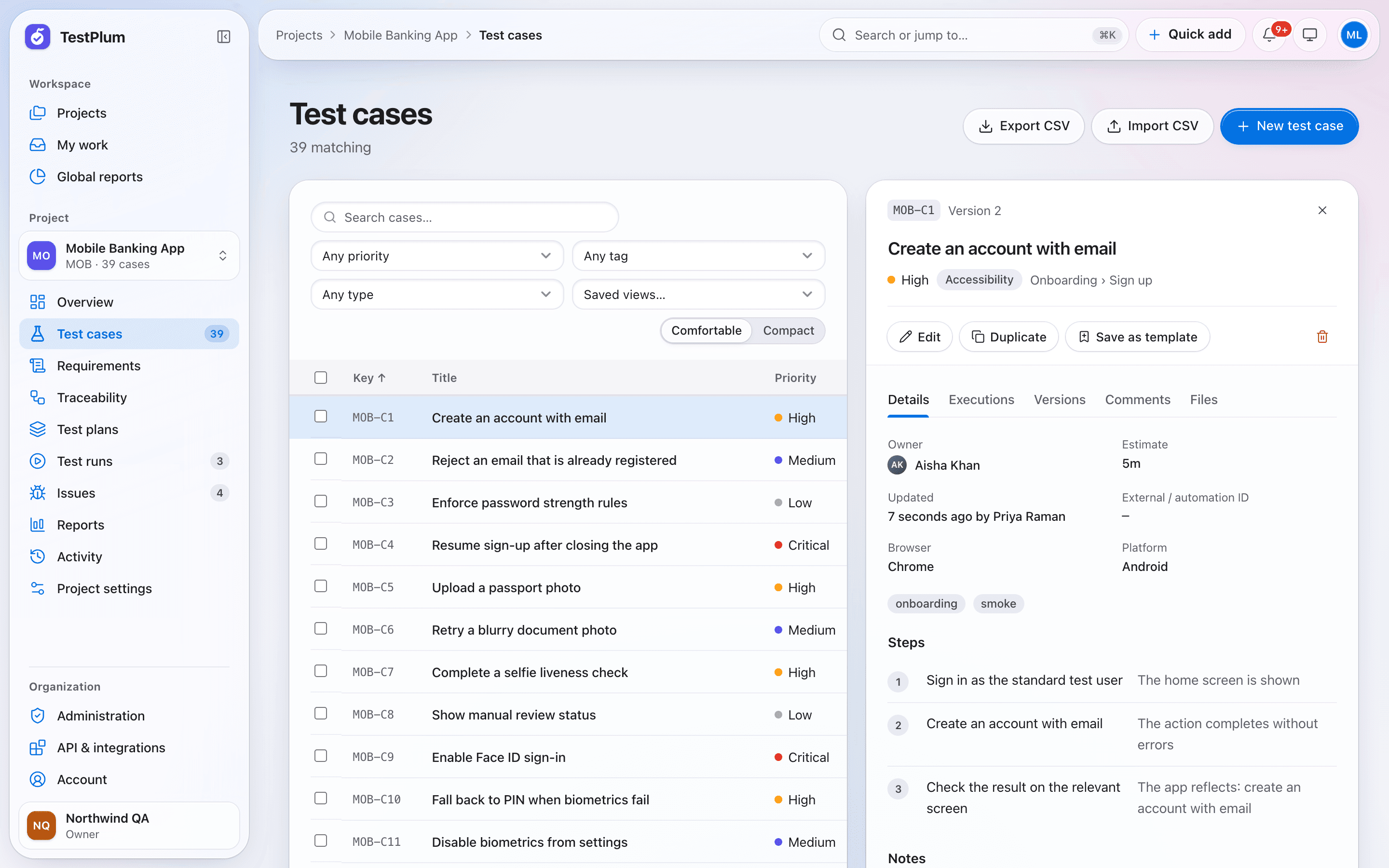
TestPlum stores test cases as structured steps with an expected result per step, organised in suites and nested sections. Every edit creates a new version you can diff, and cases carry priority, type, owner, estimate, tags, custom fields and an automation ID so manual and automated tests live in one place.
- Structured steps
- Versions with diffs
- Suites, sections and keys
- Templates and field sets
Test runs
Test runs and execution
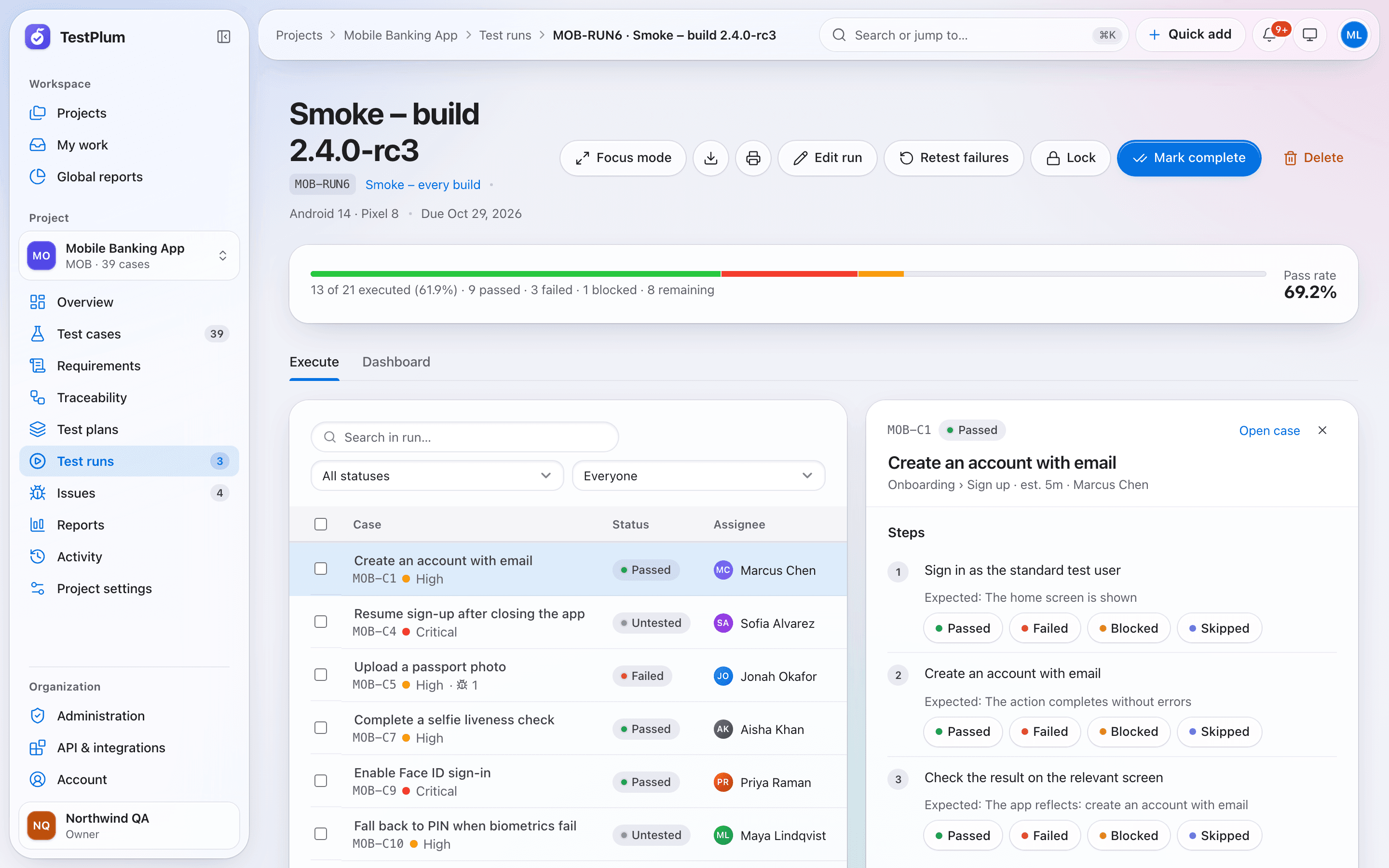
A test run in TestPlum is a snapshot of selected test cases that a team executes for a build, release or environment. Testers record pass, fail, blocked or skipped per step with single key presses, results are append-only, and the run dashboard shows completion, pass rate, workload and a burndown against the due date.
- Snapshots you can trust
- Keyboard-first execution
- Append-only results
- Assignment and workload
Traceability
Requirements and traceability
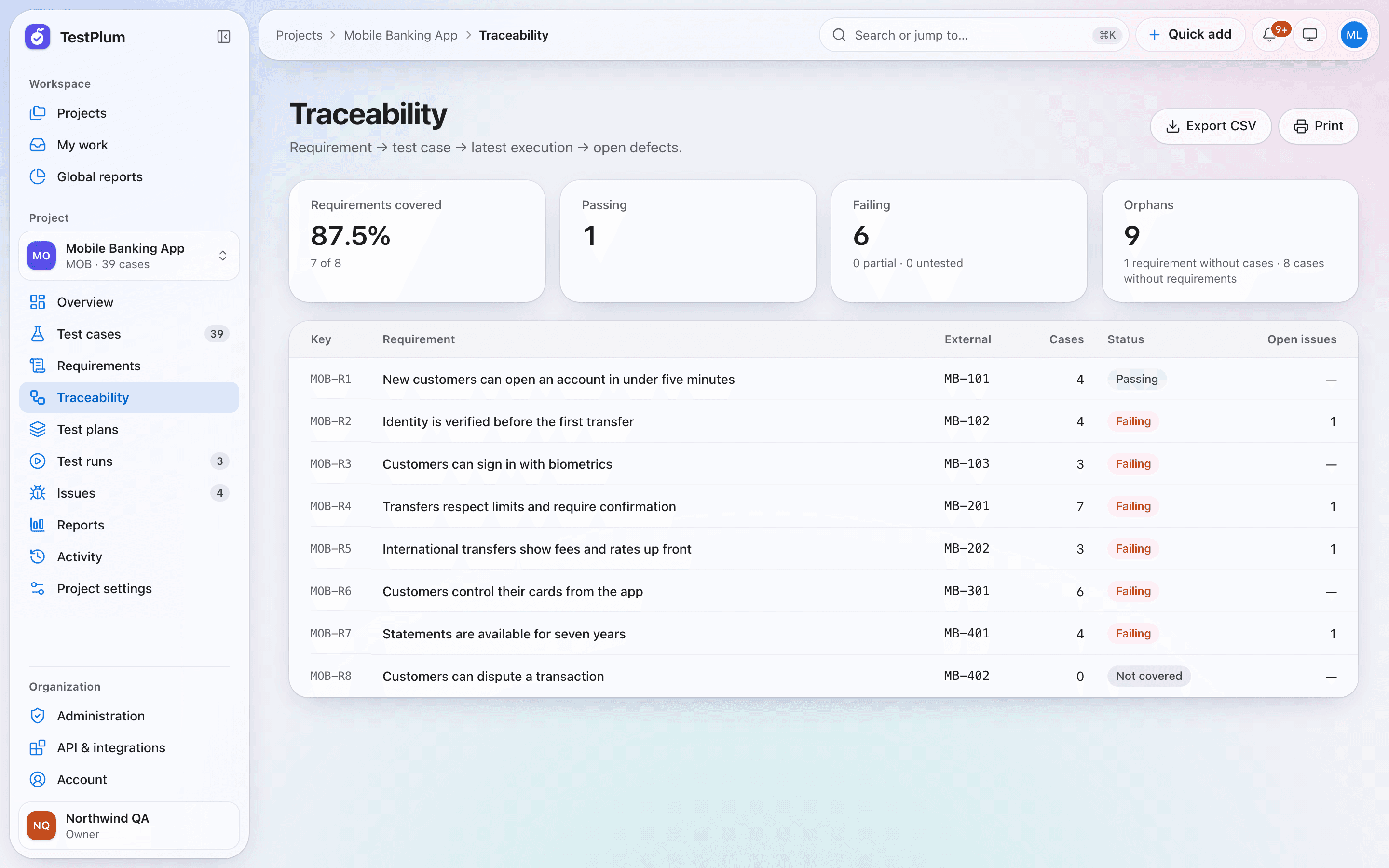
TestPlum's traceability matrix links each requirement to its test cases, the latest execution of each case and any open defects. Every requirement gets a status computed from recorded results — passing, failing, partial, untested or not covered — and the matrix highlights orphans: requirements without cases and cases without requirements.
- Requirements with acceptance criteria
- Status from evidence
- Orphan detection
- Coverage you can export
Release readiness
Reports and release readiness
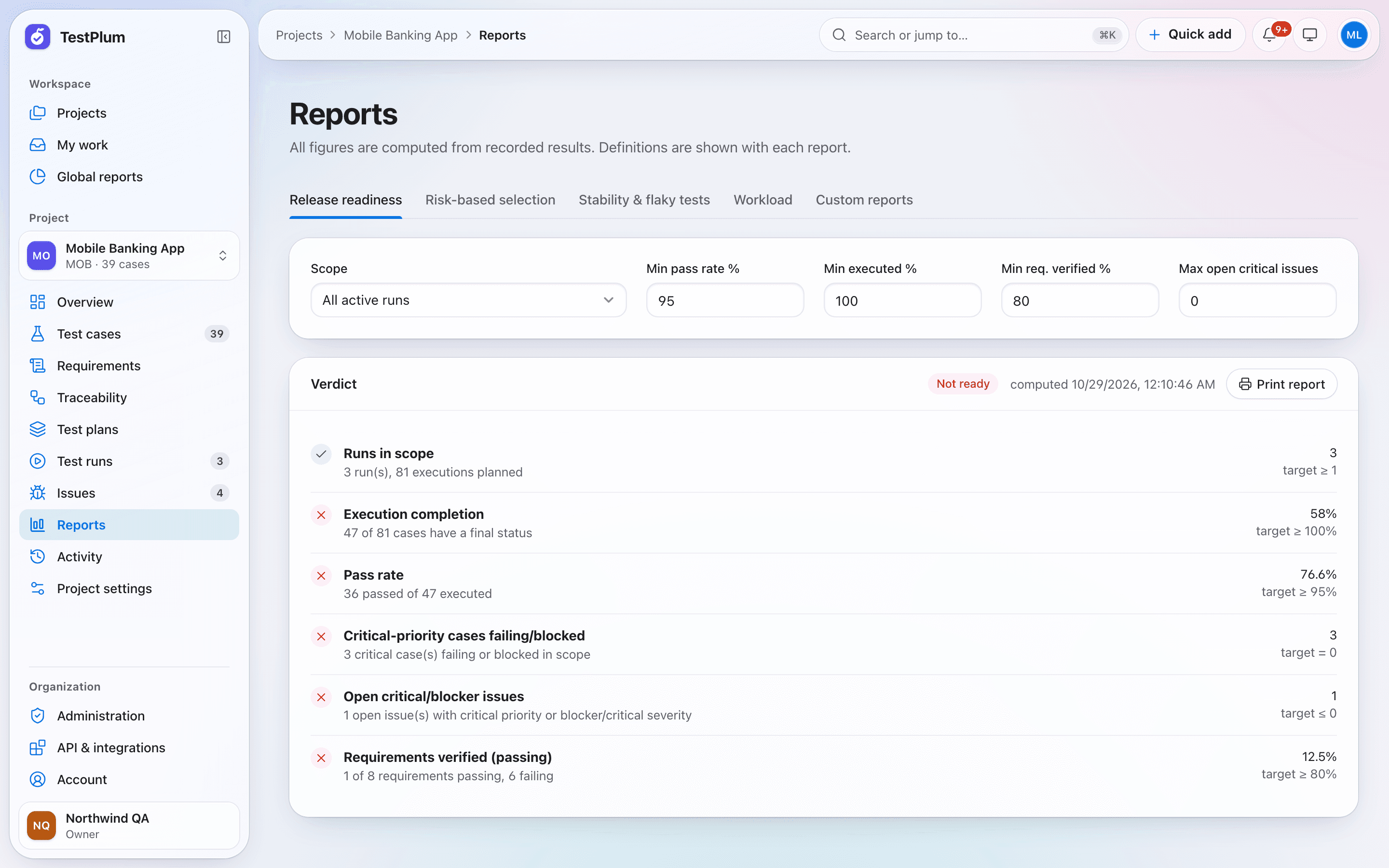
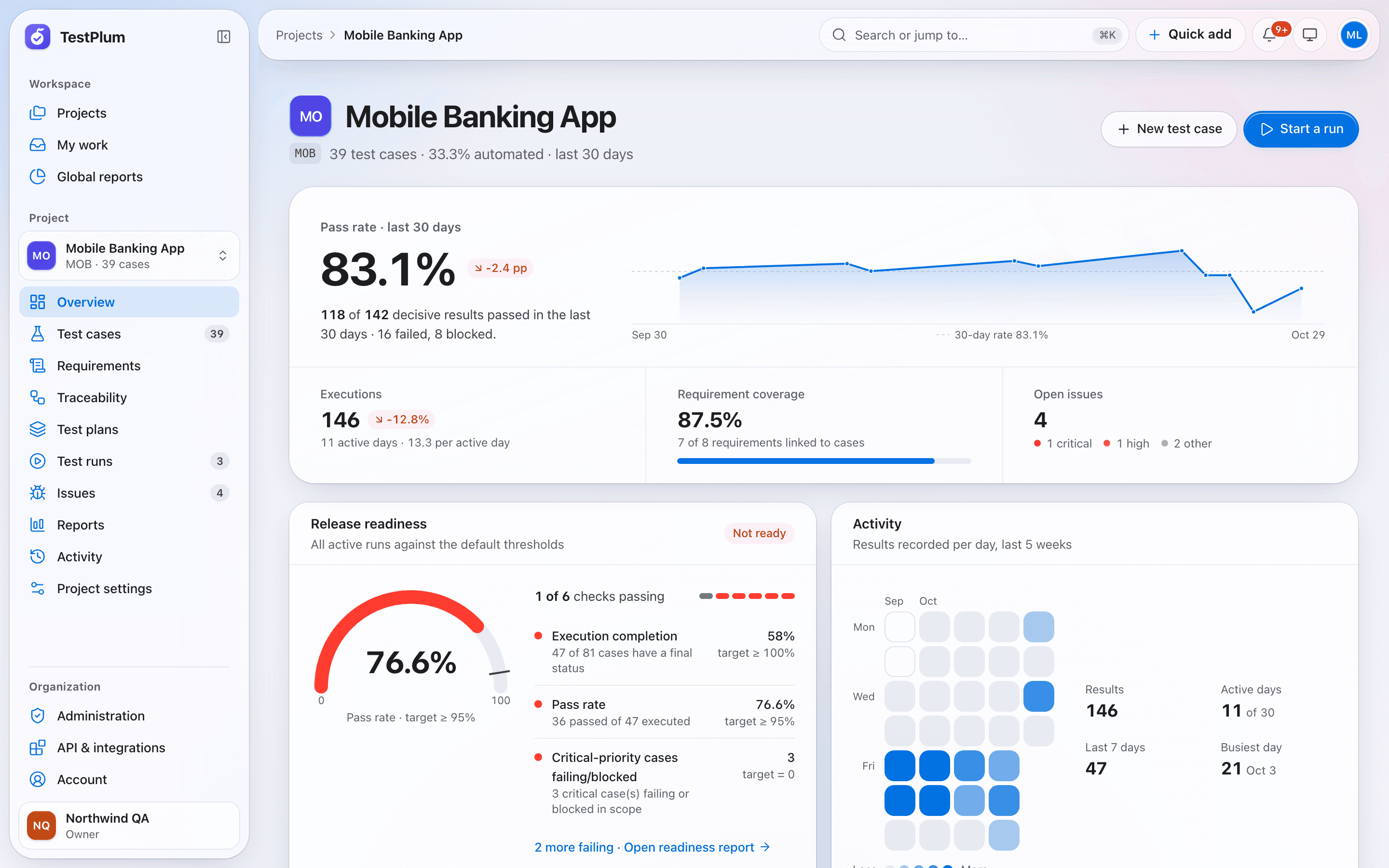
TestPlum's release readiness report turns recorded results into a ready or not-ready verdict using thresholds you set: at least one run in scope, minimum completion, minimum pass rate, no critical cases failing or blocked, a maximum number of open critical issues and a minimum share of passing requirements. Every check shows the numbers behind it.
- Readiness with explicit thresholds
- Explainable risk-based selection
- Flaky test detection
- Report builder
Defects
Defect tracking
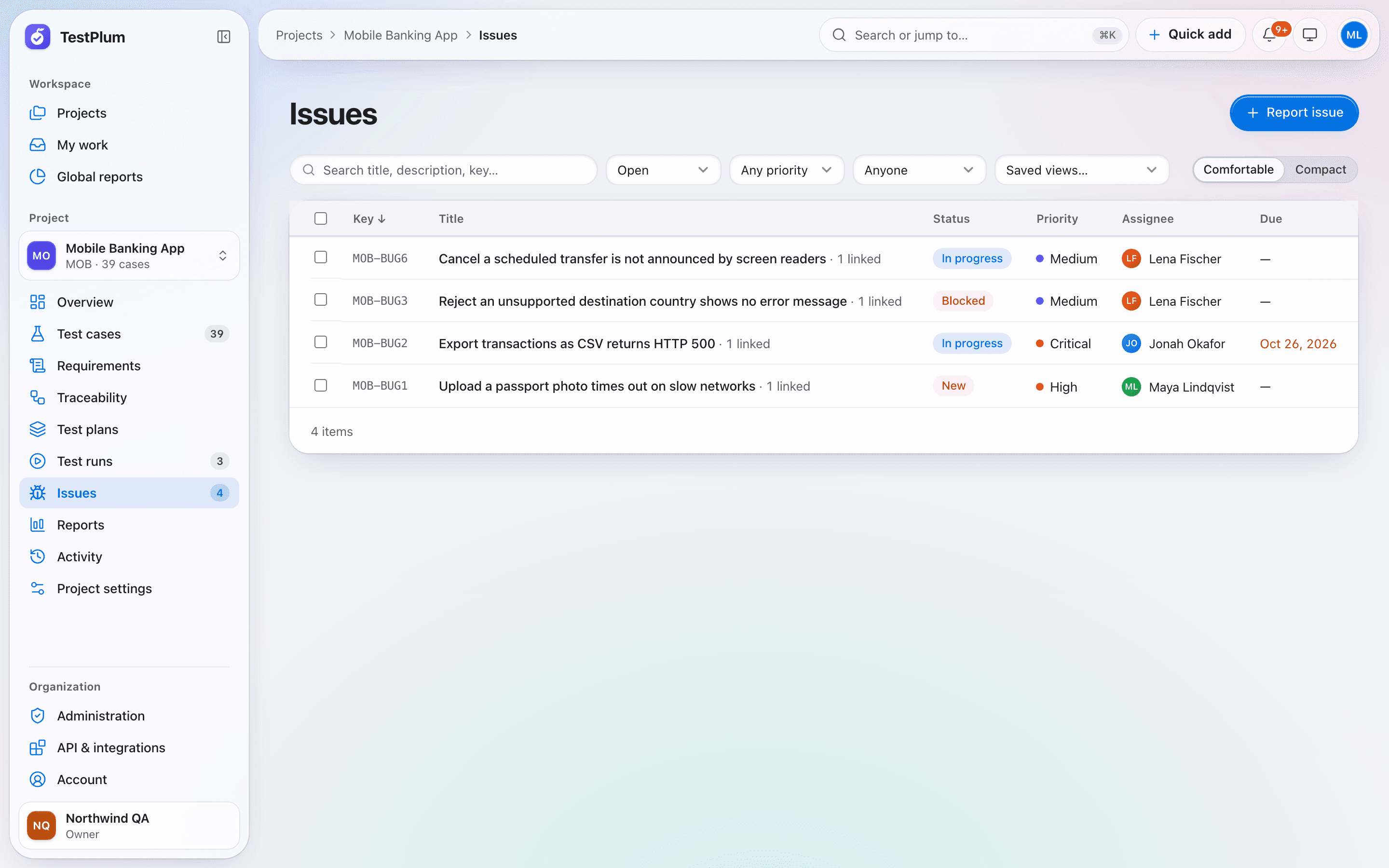
In TestPlum a defect can be created straight from a failed test result, with the case, steps and run prefilled. Issues follow a workflow with resolutions and history, TestPlum suggests possible duplicates as you type, and every issue stays linked to the results and requirements it affects.
- One click from failure to issue
- Duplicate suggestions
- Workflow and history
- Collaboration
CI & API
CI, API and webhooks
TestPlum accepts JUnit XML from any CI system over a single HTTP request, matches tests to cases by automation ID and records the results in a run. A versioned REST API described by OpenAPI 3.1 covers the rest, with organization-scoped API keys and rate-limit headers, and webhooks deliver HMAC-signed events with retries and a delivery log.
- JUnit XML from any CI
- REST API with OpenAPI 3.1
- Scoped API keys
- Signed webhooks
See your release readiness in minutes
Create a workspace, add a project and record your first run. Everything on this site is in the product today.