Defect tracking
Defects that remember which test found them
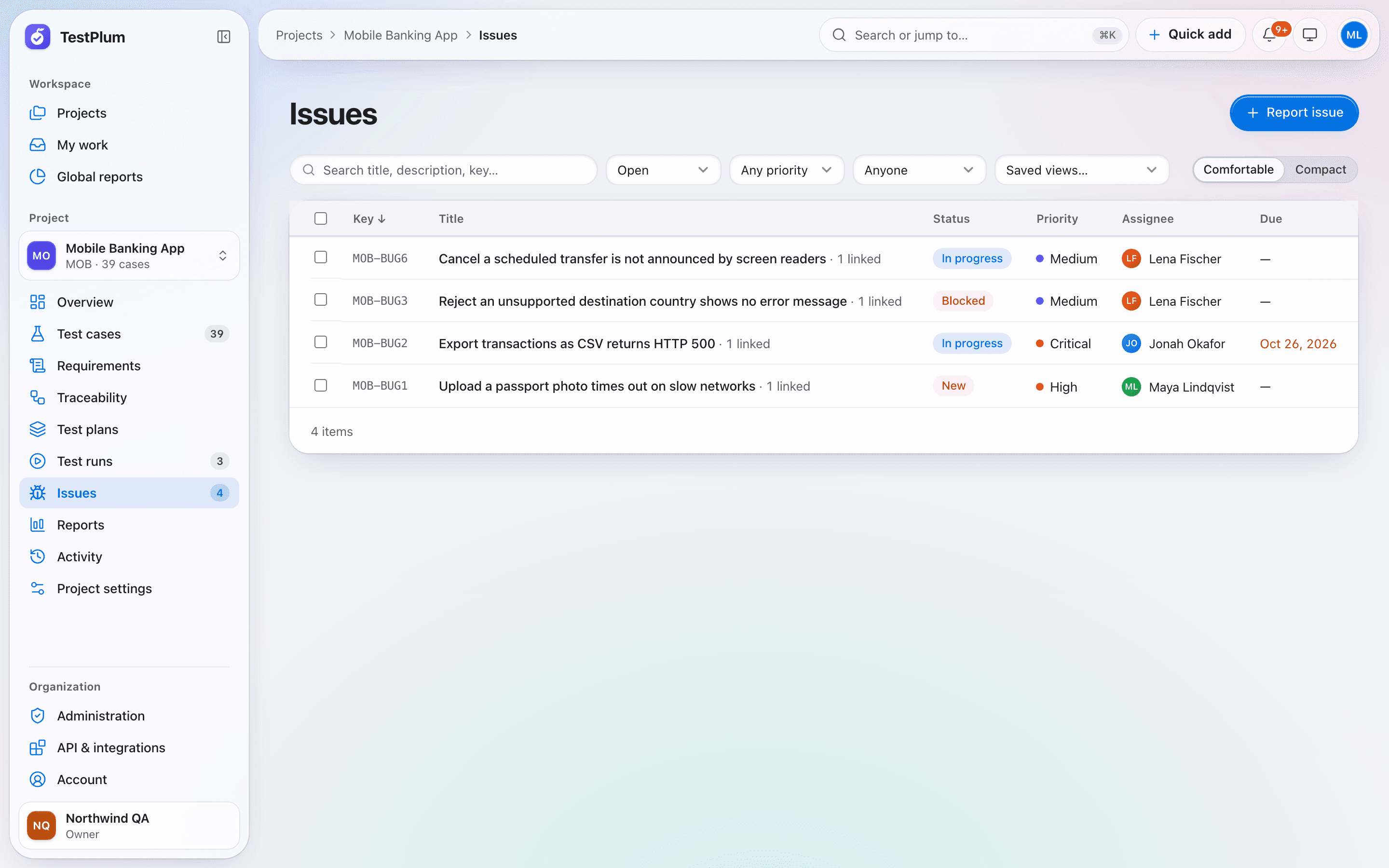
In TestPlum a defect can be created straight from a failed test result, with the case, steps and run prefilled. Issues follow a workflow with resolutions and history, TestPlum suggests possible duplicates as you type, and every issue stays linked to the results and requirements it affects.
What you can do
Issues from failures, duplicate suggestions, workflow and history, comments and mentions, GitHub and Jira push.
One click from failure to issue
Create an issue from a failed or blocked result with the context already filled in, and keep the link between the two.
Duplicate suggestions
Similar existing issues are suggested while you type a title, so the same bug is not filed twice.
Workflow and history
Move issues through their statuses with a resolution and comment, and see the full history of every change.
Collaboration
Threaded comments with @mentions, followers, notifications, image paste and attachments checked by file type.
Send to GitHub or Jira
Push an issue to GitHub or Jira and keep the link. Tracker tokens are encrypted at rest and never shown again.
How it works
Fail a step
Record the failure during a run.
File the issue
The case, step and run are prefilled; duplicates are suggested.
Work it
Assign, comment and move it through the workflow.
Verify the fix
Retest the linked cases; the requirement status updates by itself.
Defect tracking: frequently asked questions
Can TestPlum send defects to Jira or GitHub?
Yes. An issue can be sent to GitHub or Jira from its page, and the link to the created issue is saved. Access tokens are encrypted with AES-256-GCM and are never returned by the API.
Does TestPlum have its own issue tracker?
Yes. Teams that do not use an external tracker can manage defects in TestPlum with statuses, priorities, assignees, due dates, comments and history.
More of TestPlum
Test case management
Structured steps, versions with diffs, templates, custom fields, saved views and CSV import/export.
Learn moreTest runs and execution
Run snapshots, assignment, step results with keyboard shortcuts, append-only history, burndown and retests.
Learn moreRequirements and traceability
Requirement coverage, derived status, orphan detection and an exportable traceability matrix.
Learn moreSee your release readiness in minutes
Create a workspace, add a project and record your first run. Everything on this site is in the product today.